Features
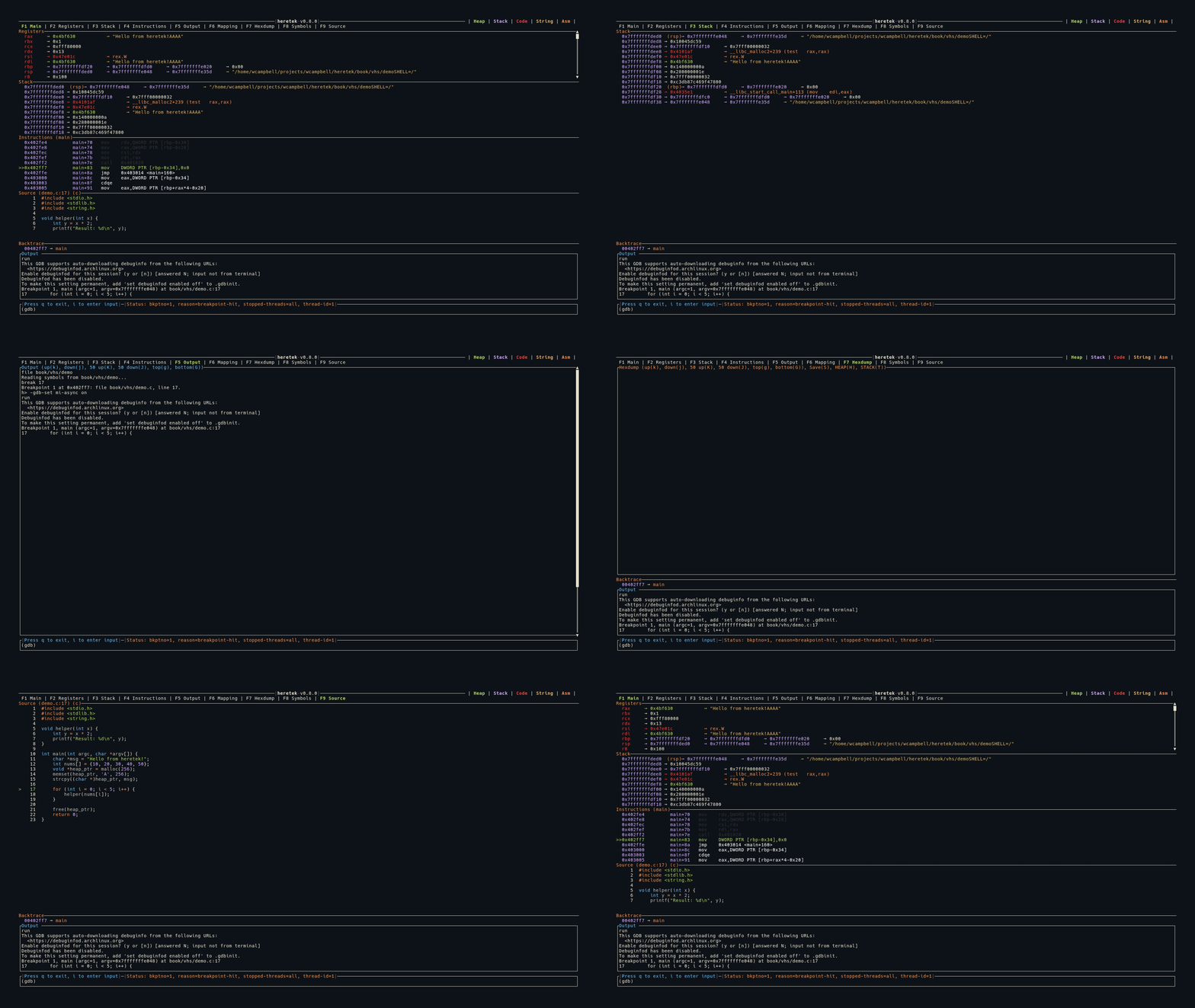
heretek provides a full-featured TUI dashboard for GDB. The interface is organized into tabs, each accessible via function keys:
| Key | Tab | Description |
|---|---|---|
| F1 | Main View | Combined view: Registers, Stack, Instructions, Source |
| F2 | Registers | Full-screen register display with dereference chains |
| F3 | Stack | Full-screen stack view |
| F4 | Instructions | Full-screen disassembly |
| F5 | Output | Scrollable GDB output log |
| F6 | Mapping | Memory mapping table with hexdump integration |
| F7 | Hexdump | Color-coded memory hexdump with register annotations |
| F8 | Symbols | Symbol browser with fuzzy search and disassembly |
| F9 | Source | Syntax-highlighted source code view |
Press Tab to cycle through views in order:
Color Coding
All values across every view are color coded by memory region:
- Green — Heap memory
- Purple — Stack memory
- Red — Code/text segment
- Yellow — ASCII strings
- Orange — Assembly instructions
See Color Coding for full details.
Pointer Dereference Chains
A key feature across Registers and Stack views is automatic pointer dereference. heretek follows pointer chains and displays them inline:
rax  0x7fffffffe000 → 0x00400580 → main+0 (push rbp)
rdi  0x7fffffffe1a8 → 0x7fffffffe3b0 → "/home/user/a.out"
- Numeric values are color-coded by which memory region they point to
- Function pointers show the symbol name and instruction
- C-strings are detected and displayed in yellow
- Circular pointer chains are detected and shown as
→ [loop detected]
Automatic Data Collection
Every time the program stops (breakpoint, step, signal), heretek automatically collects:
- Register names and values
- Changed registers (highlighted in red)
- Stack contents (14 entries from
$sp) - Disassembly around
$pc - Memory mappings
- Backtrace frames
- Source file and line number
- Pointer dereference chains for all registers