Hexdump (F7)
The Hexdump view provides a color-coded display of raw memory contents with register annotations.
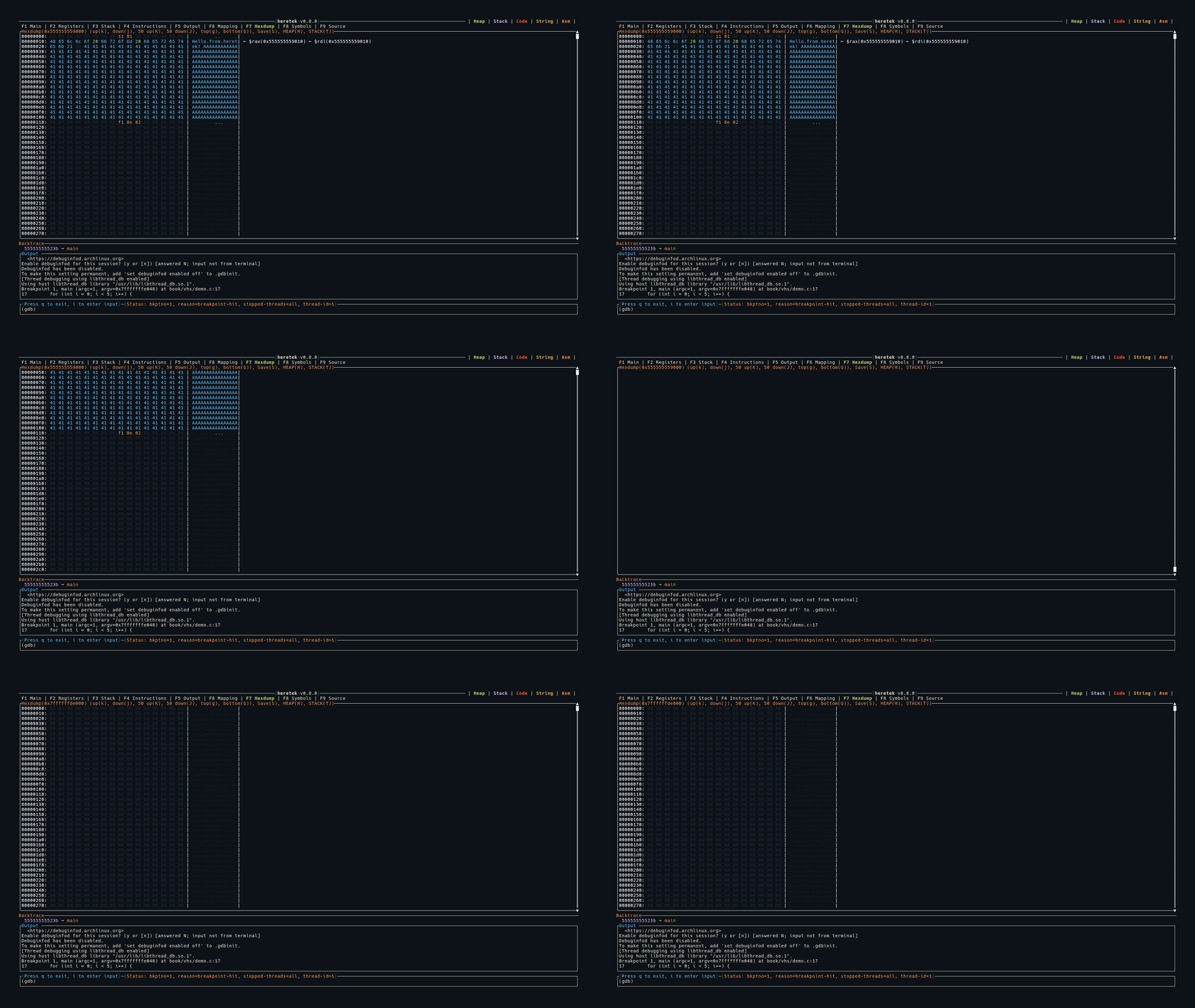
Display
Each row shows 16 bytes:
OFFSET: HH HH HH HH HH HH HH HH HH HH HH HH HH HH HH HH | ASCII.text.. | ← $rsp(0x7fffe000)
- Offset: Address of the first byte in the row
- Hex bytes: Each byte color-coded (see below)
- ASCII column: Printable characters shown as-is, non-printable shown as
. - Register annotations: If a register’s value matches an address in the row, it’s shown on the right as
← $regname(0xVALUE)
Byte Color Coding
| Color | Meaning |
|---|---|
| Dark gray | Null bytes (0x00) |
| Blue | Printable ASCII characters |
| Green | ASCII whitespace (space, tab, newline) |
| Orange | ASCII control characters |
| Yellow | Non-ASCII bytes (>= 0x80) |
Loading Data
There are several ways to load memory into the hexdump:
| Method | Description |
|---|---|
hexdump <addr> <len> | Dump arbitrary address and length |
H key (in Hexdump view) | Load the first heap mapping |
T key (in Hexdump view) | Load the first stack mapping |
H key (in Mapping view) | Load the selected mapping |
Address and length can be hex (0x...) or decimal. You can also use heretek variables:
hexdump $HERETEK_MAPPING_START_[heap] $HERETEK_MAPPING_LEN_[heap]
Saving to File
Press S to open the Save popup. Type a file path and press Enter to save the raw bytes to disk. ~/ expansion is supported.
Keybindings
| Key | Action |
|---|---|
g | Jump to top |
G | Jump to bottom |
j | Scroll down 1 row (16 bytes) |
k | Scroll up 1 row |
J | Scroll down 50 rows |
K | Scroll up 50 rows |
H | Load heap into hexdump |
T | Load stack into hexdump |
S | Save hexdump to file |