Instructions (F4)
The Instructions view shows disassembled code around the current program counter ($pc).
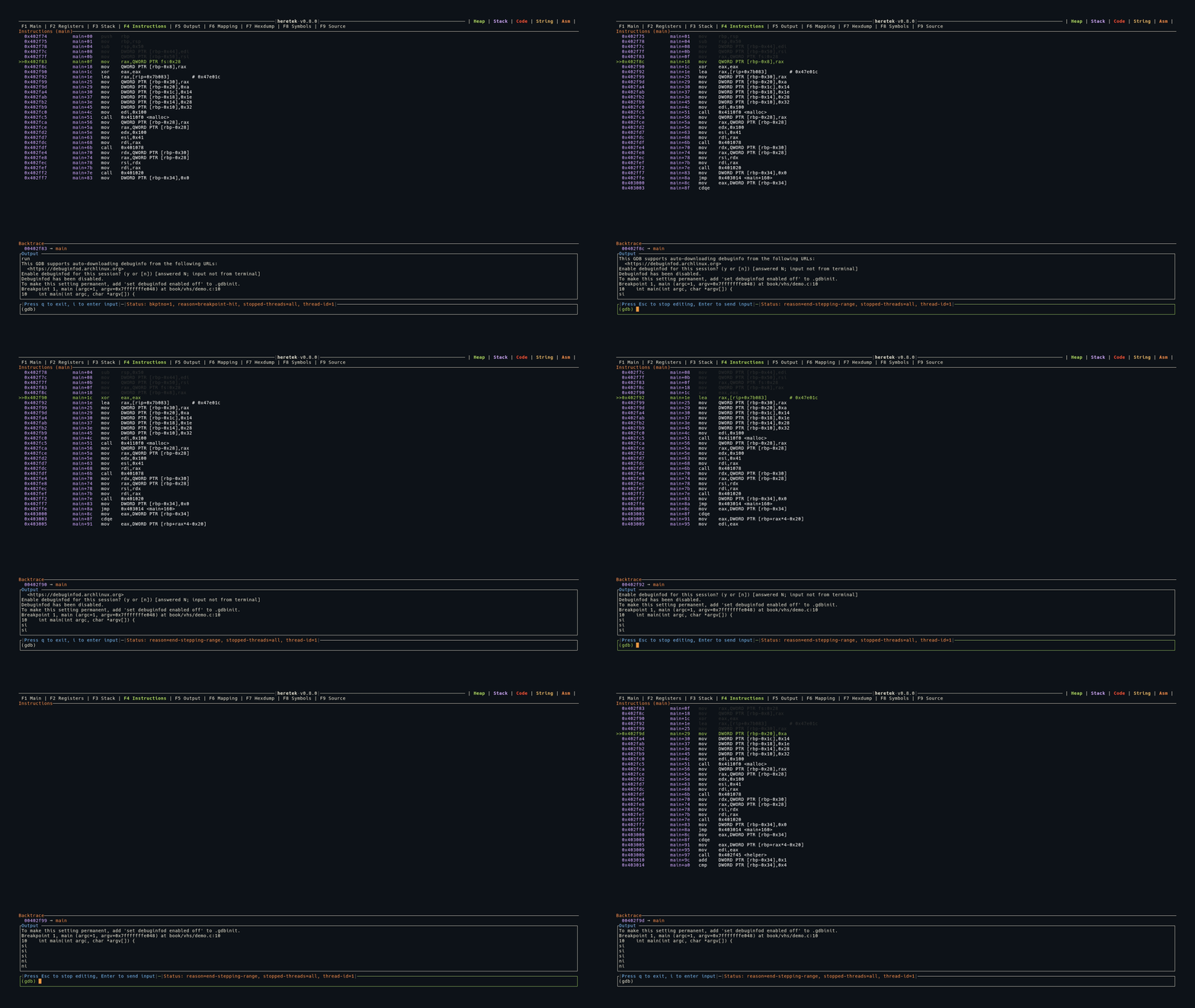
Display
Instructions are shown as a table with three columns:
  Address          Function+Offset    Instruction
  0x00401234       main+0             push   rbp
  0x00401235       main+1             mov    rbp, rsp
>>0x00401238       main+4             sub    rsp, 0x10     ← current $pc
  0x0040123c       main+8             mov    eax, 0x0
- The current instruction (
$pc) is highlighted in green with a>>marker - Instructions before
$pcare shown in white - Addresses and function+offset are shown in purple
- The panel title shows the current function name:
Instructions (main)
Disassembly Range
heretek disassembles a window around $pc:
- 5 instructions before
$pc - 10 instructions after
$pc
The view auto-scrolls to keep $pc visible.
Syntax
Intel syntax is used by default — heretek sends set disassembly-flavor intel to GDB when a program is run or attached.