Symbols (F8)
The Symbols view provides a browsable list of all function symbols in the loaded binary, with fuzzy search and inline disassembly.
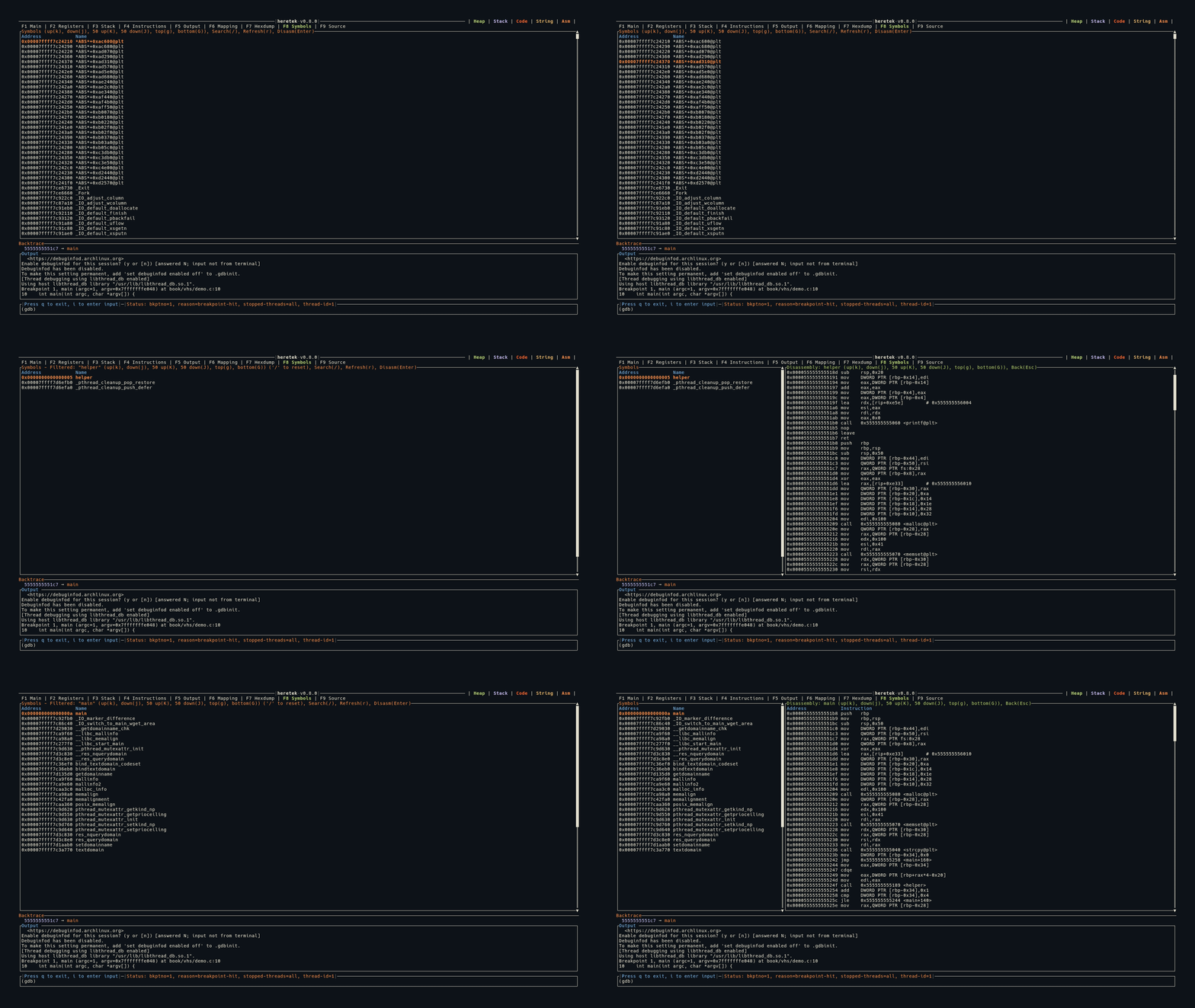
Symbol List
When you first switch to the Symbols tab, heretek runs info functions to populate the symbol list. Each symbol is shown with its address and name:
Address            Name
0x0000000000401000 _start
0x0000000000401030 main
0x0000000000401080 helper_function
- Header row in blue
- Selected row highlighted in orange + bold
- Vertical scrollbar on the right
Fuzzy Search
Press / to activate the search bar at the bottom of the panel.
- Search is fuzzy: all characters of your search term must appear in order in the symbol name, but don’t need to be consecutive
- Filter is applied live as you type
- Press
Enterto finish searching (filter stays active) - Press
Escto cancel the search - The title shows the active filter:
Symbols - Filtered: "main" - Press
/again to start a new search (clears the old filter)
Inline Disassembly
Press Enter on a selected symbol to disassemble it. The view splits into two panels:
┌──────────────────┬──────────────────────────────────┐
│  Symbol List     │  Disassembly: main               │
│  (30% width)     │  (70% width)                     │
│                  │                                  │
│ > main           │  0x401030  push   rbp            │
│   helper_func    │  0x401031  mov    rbp, rsp       │
│   _start         │  0x401034  sub    rsp, 0x10      │
│                  │  0x401038  mov    eax, 0x0        │
└──────────────────┴──────────────────────────────────┘
- The disassembly panel shows the function’s instructions (up to 500 bytes)
- Scroll keys (
j/k/J/K/g/G) control the disassembly panel when it’s open - Press
Escto close the disassembly and return to the symbol list
Refresh
Press r or R to re-run info functions and refresh the symbol list. Useful after loading new symbols or shared libraries.
Keybindings
| Key | Action |
|---|---|
g | Jump to top |
G | Jump to bottom |
j | Move selection / scroll down 1 |
k | Move selection / scroll up 1 |
J | Move down / scroll 50 |
K | Move up / scroll 50 |
/ | Activate fuzzy search |
Enter | Disassemble selected symbol |
Esc | Close disassembly / cancel search |
r / R | Refresh symbol list |