Source (F9)
The Source view shows syntax-highlighted source code for the current execution point, when source files are available.
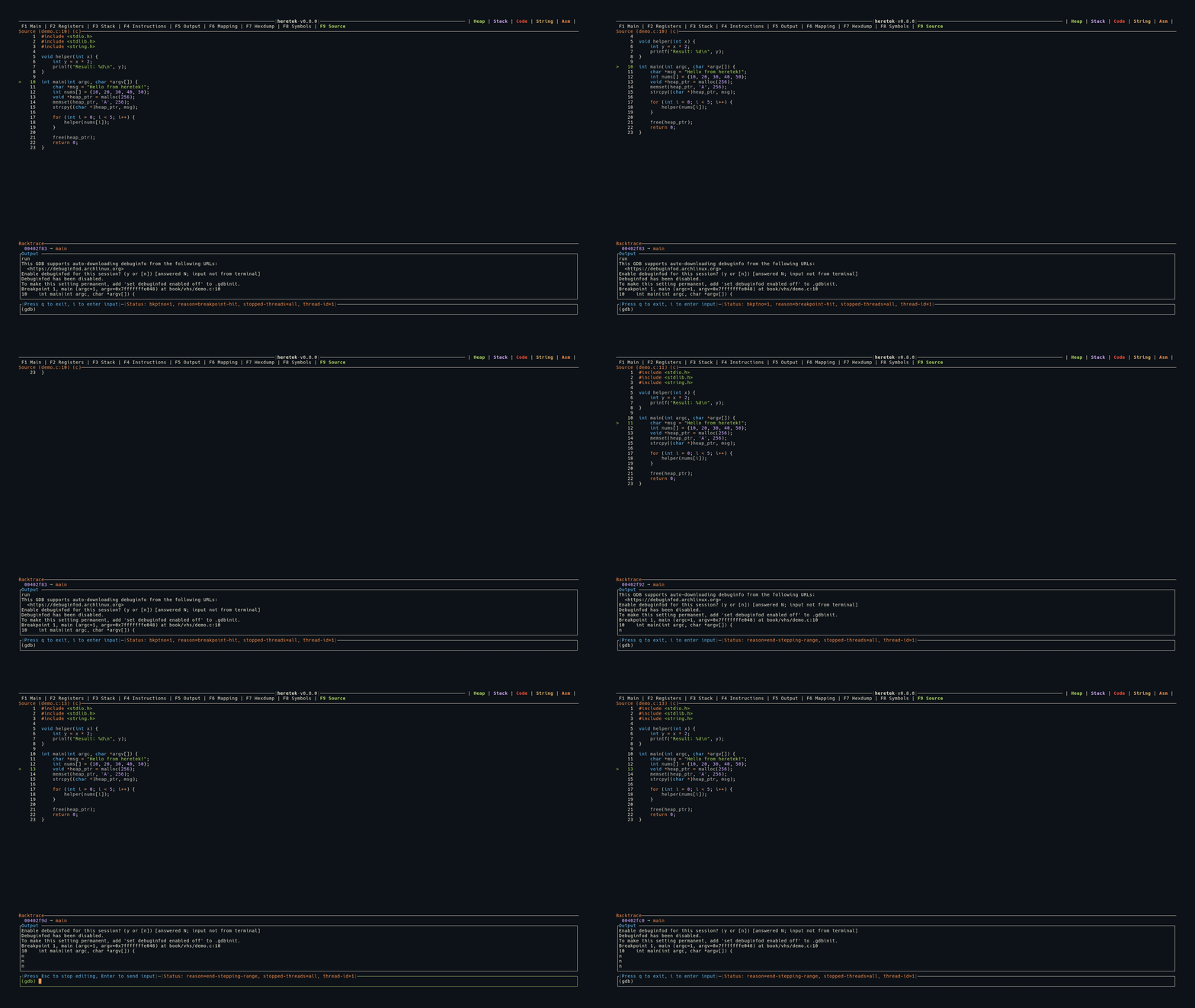
Display
  Source (main.c:42) (c)
     40│  int x = 10;
     41│  int y = 20;
  >  42│  int z = x + y;
     43│  printf("%d\n", z);
     44│  return 0;
- The panel title shows the filename, line number, and detected language:
Source (main.c:42) (c) - The current line is marked with
>in green - Line numbers are displayed in a left column
Syntax Highlighting
Source code is syntax-highlighted using treesitter (via the arborium crate) with the Ayu Dark theme.
Supported languages:
- C
- C++
- Rust
The language is auto-detected from GDB’s show language output.
Source Detection
Source file and line information comes from GDB stop events:
- The
fullnamefield (absolute path) from*stoppedMI records - Falls back to the
filefield iffullnameis not available - The actual file is read from disk — the source must be present on the local filesystem
In Main View
When source is available, the Source panel appears as the bottom section of the Main (F1) view, below Instructions. If no source is available, the Source panel is hidden.
Keybindings
| Key | Action |
|---|---|
g | Jump to top of file |
G | Jump to bottom of file |
j | Scroll down 1 line |
k | Scroll up 1 line |
J | Scroll down 50 lines |
K | Scroll up 50 lines |